How Can We Help?
Header Settings
Header Navigation
The background color for the header section is assigned in the Theme Colors Customizer Settings.
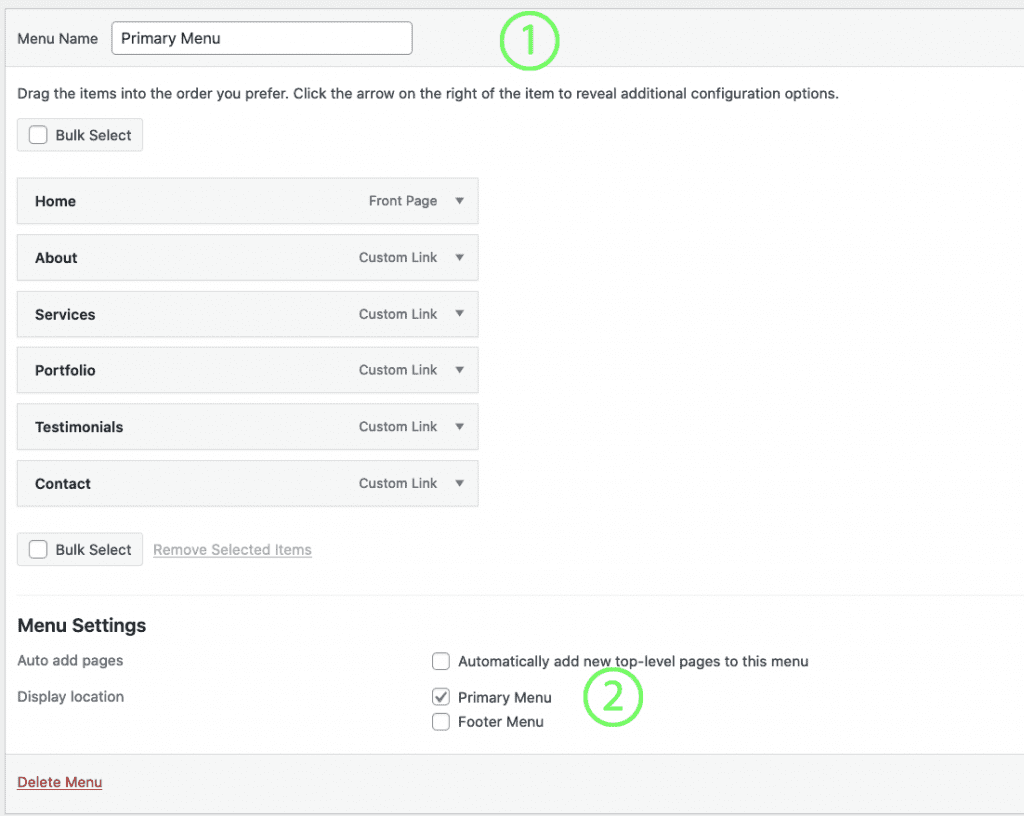
#1 Primary Menu
- Go to Appearance > Menus
- Create a new menu and name it appropriately – example: “Primary Menu”
- Add menu items to the list on the right side
- Check the box to assign this menu to the “Primary” location
- Click Save Menu to save your changes
To set Site Logo and Site Identity Click Here